The 3-2-1 backup rule is a proven baseline. Moreover, extending it to 3-2-1-1-0, with one air-gapped copy and rigorous backup verification– gives Tally and ERP workloads ransomware-resilient protection. Consequently, using S3-compatible object storage such as Wasabi (or AWS S3, already referenced across your Site) delivers immutability, predictable costs, and clean, fast restores tailored to offsite backup India needs.
Why Tally & ERP demand a disciplined backup strategy
To begin with, finance and ops data changes constantly. As a result, a failed update, hardware fault, or ransomware can stall invoices, GST reports, payroll, and vendor payments. Therefore, a structured 3-2-1 backup plan ensures you restore quickly, satisfy audits, and control costs, instead of scrambling during outages. (Your Tally focus and cloud guidance reinforce this approach.)
The 3-2-1-1-0 rule, clarified
- 3 copies of data: production plus two backups.
- 2 different media: local repository and cloud object storage.
- 1 offsite copy: independent location for disaster scenarios.
- 1 immutable/air-gapped copy: cannot be altered during the lock period.
- 0 errors: enforced via backup verification and routine test restores.
In other words, the “-1-0” turns ordinary backups into confident recoveries.
Reference architecture: S3-compatible offsite + immutability
Workloads:
- Tally company data (file-based).
- ERP databases (e.g., Lampros ERP on MS SQL/Oracle or similar).
At a glance:
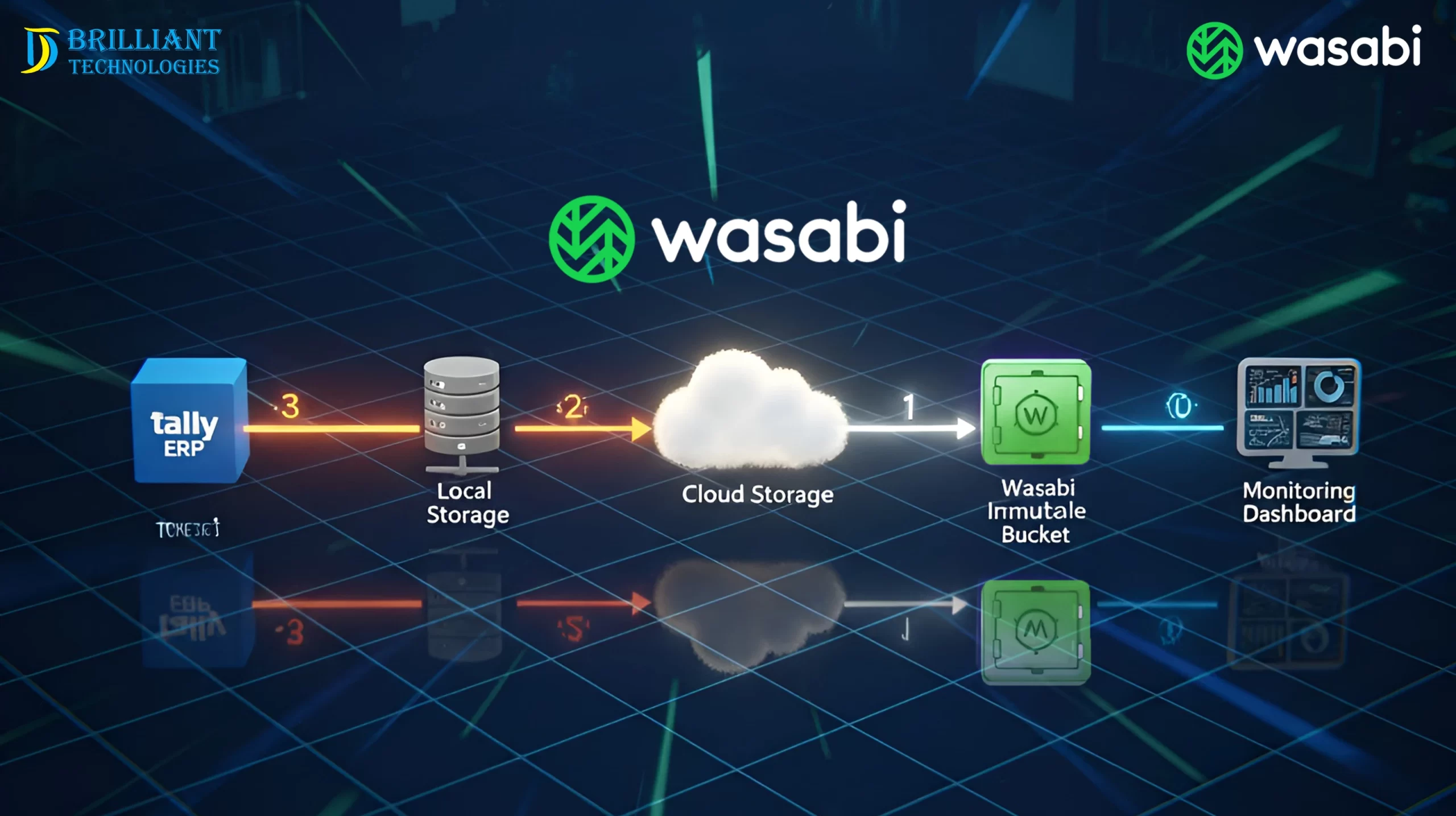
- First, back up to an on-prem NAS or repository for rapid local restores.
- Next, replicate to Wasabi or AWS S3 with Object Lock/WORM for air-gapped backups.
- Then, optionally create a monthly offline copy for long-term DR.
- Finally, automate backup verification with alerts and reports.
Why this design? Notably, S3-compatible object storage offers flat or predictable pricing, broad tool support, and immutability without tape complexity. Consequently, operations stay both predictable and secure.
Offsite backup India: performance and governance
Additionally, proximity matters. So, choose the nearest available region to reduce latency and speed restores. Meanwhile, enforce least-privilege IAM, MFA, and separate credential vaults. Furthermore, document retention that aligns with finance/audit timelines, and keep cloud access outside your primary domain to reduce lateral movement risk.
Air-gapped backups—tape optional
Historically, air gaps meant tapes. However, modern immutability delivers a software-defined air-gap:
- Object Lock/WORM prevents changes until retention expires.
- Moreover, credential separation keeps keys outside AD/domain.
- In addition, network isolation restricts egress to the backup server.
- Finally, MFA and two-person approvals protect against destructive actions.
Thus, even if production and local copies are hit, your immutable cloud set remains clean.
Backup schedules that match business reality
Tally (file-based)
- First, run incrementals every 1–4 hours; then take a nightly synthetic full.
- Afterward, replicate weeklies to Wasabi or AWS S3 with Object Lock (30–90 days).
ERP Databases
- Specifically, run daily full plus log backups every 15–30 minutes to achieve a tighter RPO.
- Additionally, keep monthly GFS (12–36 monthlies) for audits and rollbacks.
Virtual Machines
- Typically, take nightly image-level backups; where possible, enable instant recovery.
(These patterns align with your Tally on Cloud/AWS guidance and your TallyPrime Server messaging around safe backups.)
Backup verification: the path to “zero errors”
Crucially, verification is not optional:
- First, validate checksums/CRCs after upload.
- Then, run automated test restores—mount a Tally set, boot a sandbox VM, or restore an ERP DB and run a query.
- Subsequently, conduct quarterly timed drills to confirm RTO.
- If anything fails, mark the job as failed and alert Ops immediately.
Consequently, you maintain evidence that restorative practices will actually work.
RPO/RTO planner for Tally & ERP
Dataset Target RPO Target RTO Practical Setup
Tally data 1–4 hours, 30–90 minutes. Frequent incrementals, local repo; weekly immutable cloud copy
ERP database 15–30 min (logs) 1–3 hours Daily complete + log chain; verified monthly sandbox restores
Core VMs 24 hours, 2–4 hours Nightly images; enable instant recovery when supported
Accordingly, tune targets by transaction volume, branch count, and regulatory obligations.
Step-by-step implementation (practical checklist)
- Choose a backup platform with S3 targets, Object Lock/WORM, encryption, app-aware DB backups, synthetic fulls, granular restores, and automated verification.
- Create a bucket with Object Lock enabled and default retention (e.g., 60–90 days for dailies; 12–36 months for monthlies). Also, block public access.
- Harden credentials: unique API keys, MFA for console access, least-privilege IAM, and key storage outside AD.
- Define jobs: Tally (hourly/4-hourly incrementals + nightly full), ERP (complete + log chain), VMs (nightly images).
- Replicate to the cloud: weekly synthetic fulls plus dailies; thereafter, apply immutability automatically.
- Enable verification: checksums, auto-mount tests, and scripted DB restores.
- Report outcomes to Ops and Management; meanwhile, alert on failures.
- Review quarterly: storage growth, retention, and restore drill timings.
Common mistakes to avoid
- First, assuming cloud copies are safe without immutability.
- Second, storing cloud keys inside the same domain that attackers can compromise.
- Third, skipping ERP log backups, which would otherwise stretch RPO to 24 hours.
- Moreover, treating “backup completed” as “recoverable” without verification.
- Finally, ignore egress planning and restore bandwidth.
Security & compliance quick list
- To start, encrypt in transit (TLS) and at rest (AES-256).
- Next, enforce Object Lock/WORM for immutable, air-gapped backups.
- Also, use role-based IAM—avoid wildcard admin policies.
- In addition, alert on deletions, retention changes, and verification failures.
- Furthermore, formalize retention and legal hold processes.
- Lastly, keep an offline recovery runbook with owners and priorities.
Cost & sizing notes (stay predictable)
Before sizing, estimate the monthly change rate (often 3–10% for Tally/ERP). Then, rely on compression, dedupe, and synthetic fulls to limit growth. Afterward, separate short-term (30–90 days) and long-term (12–36 months) retention. Finally, track growth and verification KPIs during monthly ops reviews.
FAQs
- What is the 3-2-1 backup rule?
Three copies on two different media, with one offsite. Additionally, 3-2-1-1-0 adds one immutable copy and zero errors through verification.
- How do Wasabi or AWS S3 help with air-gapped backups?
Because both support Object Lock/WORM, backups become immutable during retention. Therefore, ransomware cannot alter or delete them.
- Will this meet India-specific audit needs?
Yes. Set retention to match your sector, keep offsite backup in India, and, more importantly, maintain immutable monthlies and verification logs.
- How often should we test restores?
Run light tests weekly and a full drill at least quarterly. Consequently, you maintain confidence in RTO targets.
- What RPO/RTO should SMEs target?
Typically, RPO is 1–4 hours for Tally and 15–30 minutes for ERP logs, with an RTO of under 3 hours. However, adjust to the workload and risk.