Payroll is one of the most important business activities because every employee expects accurate and timely salary payments. However, processing payroll is only one part of the job. Businesses also need to verify whether every payment has been successfully credited to employees. This is where a Payout Reconciliation Data Sheet becomes essential.
Whether you manage payroll for a startup, a growing business, or a large organization, preparing an accurate payout reconciliation data sheet helps avoid payment errors, improves financial transparency, and builds employee trust. Moreover, using a modern HRMS makes the entire process much easier and faster.
What Is a Payout Reconciliation Data Sheet?
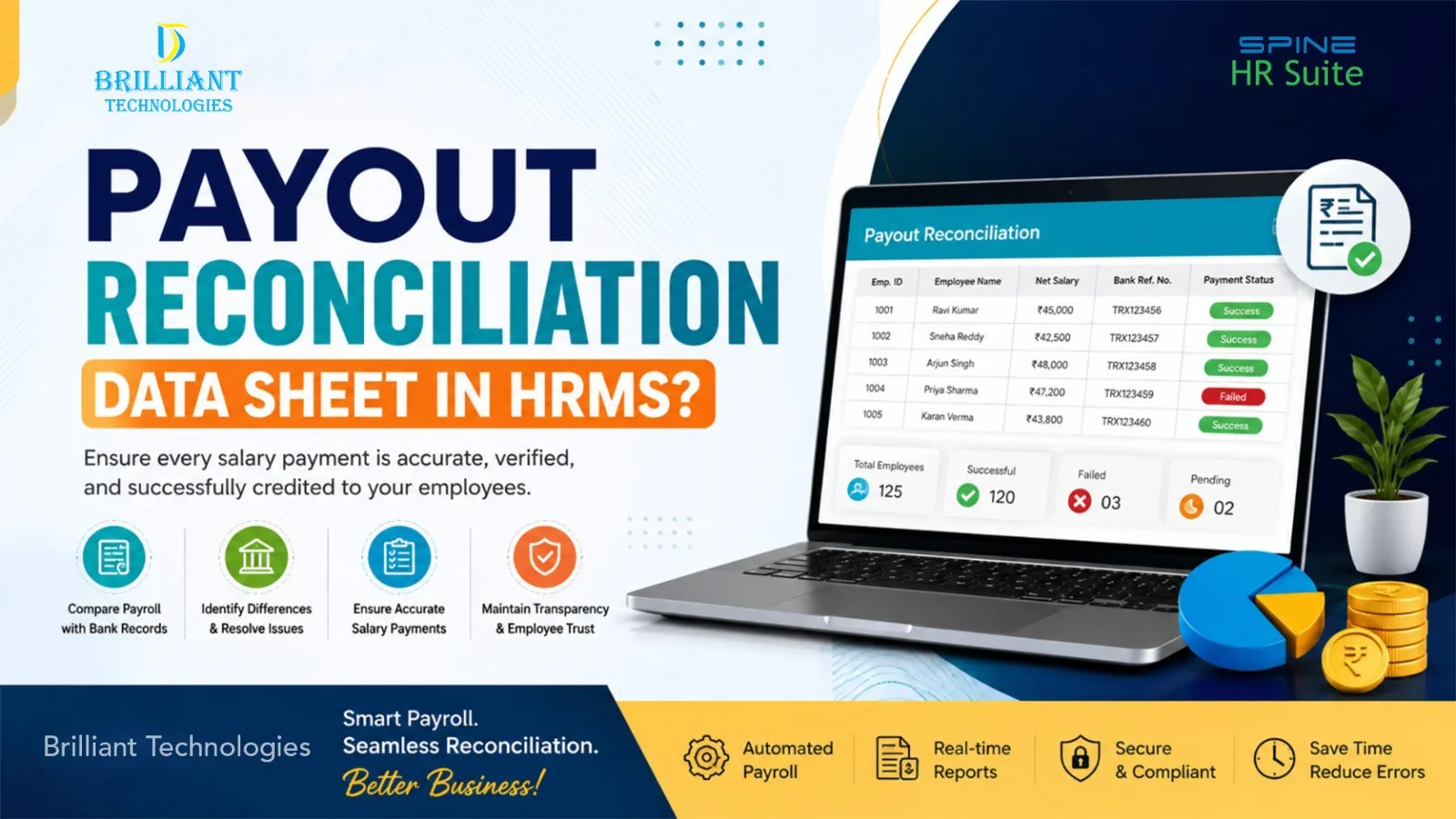
A payout reconciliation data sheet is a record used to compare payroll information with the actual salary payments made through the bank. Simply put, it helps HR and finance teams confirm that every employee has received the correct salary amount.
Typically, the data sheet includes details such as:
Employee ID
Employee Name
Salary Payable
Net Salary
Bank Account Details
Payment Date
Transaction Reference Number
Payment Status
Difference (if any)
Remarks
As a result, businesses can quickly identify missing payments, duplicate transactions, or incorrect salary transfers before they become bigger issues.
Why Is a Payout Reconciliation Data Sheet Important?
Accurate payroll creates confidence among employees. Nevertheless, manual payroll verification can consume valuable time and often leads to mistakes.
A payout reconciliation data sheet helps businesses:
Verify every salary payment accurately.
Detect payment mismatches quickly.
Reduce payroll disputes.
Maintain proper payroll records.
Support financial audits.
Improve payroll compliance.
Strengthen coordination between HR and finance teams.
Furthermore, it provides management with a clear view of payroll accuracy during every salary cycle.
How Do You Prepare a Payout Reconciliation Data Sheet using HRMS?
Fortunately, preparing a payout reconciliation data sheet becomes much simpler when using an HRMS with payroll management features.
1. Complete Payroll Processing
First, finalize attendance, leave records, overtime, deductions, incentives, and statutory calculations before generating payroll.
2. Generate Payroll Reports
Next, create the payroll register and salary payout reports directly from your HRMS software. These reports serve as the foundation for reconciliation.
3. Export Bank Payment Details
After payroll is approved, generate the bank payment file to process employee salary transfers. Once the bank processes the salaries, download the transaction confirmation report.
4. Compare Payroll and Bank Records
Now compare the payroll report with the bank transaction report.
Verify:
Employee names
Salary amounts
Payment dates
Transaction IDs
Failed transactions
Pending payments
This comparison forms your payout reconciliation data sheet.
5. Identify Differences
If a salary payment is missing or the credited amount does not match the payroll record, note the discrepancy and review it promptly to identify and resolve the issue.
6. Update the Final Reconciliation Report
Finally, update the reconciliation sheet with corrected information, payment status, remarks, and supporting references for future records.
Consequently, every payroll cycle remains accurate, transparent, and well documented.
Common Payroll Reconciliation Challenges
Although payroll software simplifies the process, businesses may still experience certain challenges.
Some common issues include:
Incorrect employee bank details
Duplicate salary transfers
Failed bank transactions
Manual data entry mistakes
Delayed payment confirmations
Payroll calculation errors
Missing employee records
Difficulty matching bank reports with payroll reports
Without proper reconciliation, these small errors can eventually affect employee satisfaction and business credibility.
Benefits for Startups and Growing Businesses
Startups and small businesses often operate with limited HR resources. Therefore, automation becomes even more valuable.
A well-prepared payout reconciliation data sheet helps businesses:
Save valuable processing time.
Improve payroll accuracy.
Reduce manual work.
Minimize salary disputes.
Simplify audit preparation.
Enhance payroll transparency.
Support statutory compliance.
Build employee confidence.
Improve financial reporting.
Scale payroll operations with ease.
Additionally, business owners gain better visibility into salary expenses while reducing administrative workload.
How HRMS Makes Payroll Reconciliation Easier
An integrated HRMS brings payroll, attendance, employee records, and reporting together on one platform. Instead of working with multiple spreadsheets, HR teams can access accurate payroll information in one place.
Modern HRMS software also offers:
Automated payroll calculations
Salary payout verification
Payroll reports
Employee salary reconciliation
Payroll approval workflows
Payroll dashboards
Secure employee records
Payroll compliance support
Automated payroll reconciliation reports
As a result, businesses spend less time checking data and more time focusing on growth.
Why Choose Brilliant Technologies?
At Brilliant Technologies, we help businesses simplify payroll management with Spine HRMS, a comprehensive solution designed for organizations of every size.
As a trusted HRMS company in Hyderabad, we provide payroll automation, employee salary management, payroll reconciliation, attendance management, and HR workflow solutions that help businesses improve efficiency while maintaining payroll accuracy and compliance.
Whether you are a startup or an expanding organization, our experienced team helps implement the right HRMS solution based on your business needs.
Final Thoughts
Preparing a payout reconciliation data sheet is not just about checking salary payments. Instead, it is a practical way to improve payroll accuracy, strengthen financial control, and maintain employee confidence. More importantly, as businesses grow, manual reconciliation becomes increasingly difficult.
Choosing the right HRMS partner can make payroll management simpler, faster, and more reliable. With Spine HRMS from Brilliant Technologies, businesses can automate payroll processes, improve reconciliation accuracy, stay compliant, and confidently support future growth with a dependable HRMS solution.
Frequently Asked Questions (FAQs)
What is a payout reconciliation data sheet?
A payout reconciliation data sheet is a document that compares payroll records with actual bank salary payments to ensure every employee receives the correct salary.
How do you prepare a payout reconciliation data sheet?
Generate payroll reports, download bank payment confirmations, compare both records, identify any differences, update payment status, and maintain the final reconciliation report.
Why is payroll reconciliation important?
Payroll reconciliation helps prevent payment errors, improves payroll accuracy, supports compliance, and creates trust among employees.
Can HRMS automate payroll reconciliation?
Yes. A modern HRMS automates payroll calculations, generates payroll reports, tracks salary payments, and simplifies reconciliation with minimal manual effort.
Who should use a payout reconciliation data sheet?
HR managers, payroll executives, finance teams, startups,small businesses, and growing companies can all benefit fromusing apayout reconciliation data sheet.