Managing e-Invoices becomes more important as businesses handle a growing number of sales transactions and GST-related records. Keeping invoice information accurate and consistent helps businesses reduce manual checking and identify discrepancies at an early stage.
This is where e-Invoice reconciliation in TallyPrime can make the accounting process more organised. By reviewing relevant reports and transaction details, businesses can compare their accounting records, check e-Invoice information, and identify records that may need attention.
For businesses using TallyPrime, understanding how its reporting capabilities support e-Invoice management can help create a more structured accounting workflow.
What Is e-Invoice Reconciliation?
e-Invoice reconciliation is the process of comparing invoice information recorded in an accounting system with the corresponding e-Invoice details.
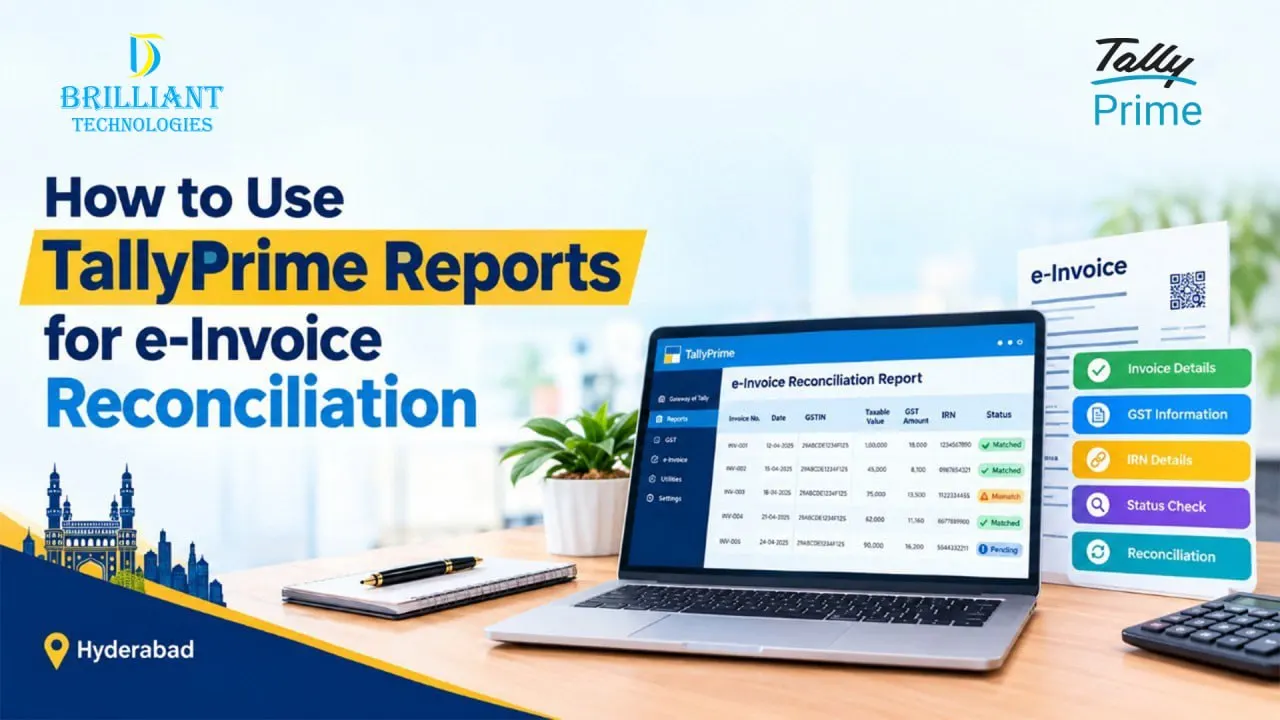
During reconciliation, businesses may review information such as:
- Invoice number
- Invoice date
- Customer GSTIN
- Taxable value
- GST amount
- Invoice status
- IRN details
- Cancellation information
The objective is to identify differences between records and ensure that relevant invoice information is properly maintained.
For businesses handling a large number of transactions, manually checking every record can take considerable time. A structured reconciliation process can make this review easier to manage.
Why Is e-Invoice Reconciliation Important?
A business may generate numerous invoices every month. Without regular verification, small differences in invoice information can become difficult to identify later.
Regular reconciliation can help businesses:
- Identify invoice mismatches
- Check e-Invoice status
- Review GST-related information
- Find missing or incorrect records
- Verify invoice values
- Maintain organised accounting records
- Reduce repetitive manual checking
Instead of waiting until the end of a reporting period, businesses can make reconciliation part of their regular accounting process.
How TallyPrime Reports Can Help With e-Invoice Reconciliation
TallyPrime e-Invoice reports can help businesses review accounting information and analyse transaction records.
Depending on the business workflow and TallyPrime configuration, users can review relevant invoice and GST information to check whether accounting records are consistent with their e-Invoice data.
The reconciliation process can be carried out through a few simple checks, such as:
1. Review Invoice Details
Start by checking the invoice information recorded in TallyPrime.
Important details can include:
- Invoice number
- Invoice date
- Customer details
- GSTIN
- Taxable amount
- GST amount
- Total invoice value
Reviewing these details provides a starting point for identifying discrepancies.
2. Check e-Invoice Status
Businesses can review relevant e-Invoice reports in TallyPrime to understand the status of transactions.
Depending on the transaction, businesses may need to identify successfully generated invoices, failed transactions, cancelled invoices, or records that require further verification.
Regular status checking can help businesses identify issues before they affect their accounting workflow.
3. Verify IRN Information
The Invoice Reference Number (IRN) is an important part of the e-Invoice process.
Businesses can review the relevant IRN information along with their accounting records to verify that the corresponding transaction has been properly processed.
4. Compare GST Information
GST details are another important part of reconciliation.
Businesses may compare:
- GSTIN
- Taxable value
- CGST
- SGST
- IGST
- Total invoice value
Comparing these details can help identify differences that may require review or correction.
How to Identify e-Invoice Mismatches
An e-Invoice reconciliation report can help businesses review transaction information and identify potential differences.
Common issues may include:
- Incorrect invoice numbers
- Different invoice values
- Incorrect GSTIN
- Incorrect tax amounts
- Missing e-Invoice information
- Failed e-Invoice generation
- Cancelled invoices
- Differences between accounting and e-Invoice records
When a discrepancy is identified, the business can review the original transaction and determine the appropriate corrective action.
TallyPrime e-Invoice Reconciliation for GST Records
GST records need to remain accurate and properly organised. Businesses can use TallyPrime GST reconciliation as part of their regular accounting review process.
Reviewing invoice and GST information helps businesses maintain better visibility over their transactions and identify discrepancies before they become more difficult to resolve.
The exact reconciliation process can vary depending on the business, transaction volume, industry, and accounting workflow.
The key is to establish a consistent process for reviewing records instead of depending completely on manual verification.
Benefits of Using TallyPrime for e-Invoice Management
For many businesses, accounting, GST, and invoicing activities are closely connected. Managing these processes through a structured accounting system can reduce the need for maintaining separate records.
TallyPrime can support businesses with areas such as:
- Sales invoice management
- GST accounting
- e-Invoice processes
- Invoice reporting
- Transaction analysis
- Business reporting
- Accounting data management
For businesses looking for a TallyPrime e-Invoice solution, proper configuration is important. The software should be aligned with the organisation’s accounting process and reporting requirements.
TallyPrime e-Invoice Support in Hyderabad
Businesses searching for TallyPrime in Hyderabad may have different requirements based on their industry, transaction volume, and accounting setup.
Professional assistance can be useful for businesses that need support with:
- TallyPrime implementation
- e-Invoice configuration
- GST setup
- Report customisation
- Data migration
- Tally integration
- User training
- Ongoing support
Working with an Authorized Tally Partner in Hyderabad can help businesses understand the available TallyPrime options and configure the software according to their operational requirements.
Businesses with specialised workflows may also require Tally Customization in Hyderabad or Tally integration services in Hyderabad to connect TallyPrime with other business applications.
When Should Businesses Perform e-Invoice Reconciliation?
The ideal reconciliation frequency depends on the size and transaction volume of the business.
Businesses handling frequent sales invoices may benefit from performing checks regularly rather than postponing the entire process.
A practical workflow can be:
Record Transaction → Generate e-Invoice → Check Status → Review Details → Compare Records → Identify Differences → Correct Records → Maintain Reports
Following a consistent process can make e-Invoice management easier and provide better visibility into accounting records.
Conclusion
e-Invoice reconciliation is an important part of maintaining organised invoice and GST records. Regularly reviewing invoice details, e-Invoice status, IRN information, and GST values can help businesses identify discrepancies and maintain more reliable accounting records.
With the right TallyPrime e-Invoice solution, businesses can bring invoicing, accounting, GST processes, and reporting into a more structured workflow.
For businesses looking for TallyPrime Support in Hyderabad, Tally Support in Hyderabad, or professional assistance with implementation, customization, and integration, Brilliant Technologies can help identify a suitable TallyPrime solution based on your business requirements.
Whether you need TallyPrime implementation services, TallyPrime e-Invoice support, Tally Customization in Hyderabad, or Tally integration services in Hyderabad, getting the right setup and support can make day-to-day accounting processes easier to manage.
Frequently Asked Questions
How do I reconcile e-Invoices in TallyPrime?
Businesses can review relevant invoice, GST, and e-Invoice information in TallyPrime reports and compare details such as invoice number, date, GSTIN, taxable value, tax amount, and invoice status.
What reports are used for e-Invoice reconciliation?
Relevant TallyPrime reports can be used to review invoice transactions, GST information, and e-Invoice-related details. The specific reports and features available may depend on the TallyPrime version and configuration.
How can I identify e-Invoice mismatches?
Compare the accounting records with the corresponding e-Invoice information. Check invoice numbers, GSTIN, taxable values, tax amounts, invoice status, and other relevant details to identify differences.
Can TallyPrime help with e-Invoice reconciliation?
TallyPrime provides accounting and GST-related reporting capabilities that can support businesses in reviewing e-Invoice information and identifying discrepancies within their accounting workflow.
Why do businesses need e-Invoice reconciliation software?
Businesses managing a high volume of invoices can benefit from a structured process for reviewing invoice information, identifying differences, and maintaining organised GST and accounting records.
Can a Tally service provider help with e-Invoice setup?
Yes. A Tally service provider can assist with TallyPrime implementation, configuration, e-Invoice setup, custom reporting, integrations, training, and ongoing support based on the business requirements.
Looking for TallyPrime e-Invoice support in Hyderabad? Connect with Brilliant Technologies to discuss your requirements.