Managing employee information becomes more challenging as a business grows. HR teams need to monitor attendance, payroll, leave, performance, and other employee activities without spending hours reviewing records. HRMS reports help simplify this process by organizing workforce information into useful formats.
Two commonly useful reporting formats are summarized reports and detailed reports. Although both help HR teams understand employee data, they serve different purposes. Understanding the difference between summarized HRMS reports and detailed HRMS reports helps businesses choose the right information for everyday HR operations and decision-making.
What Are Summarized HRMS Reports?
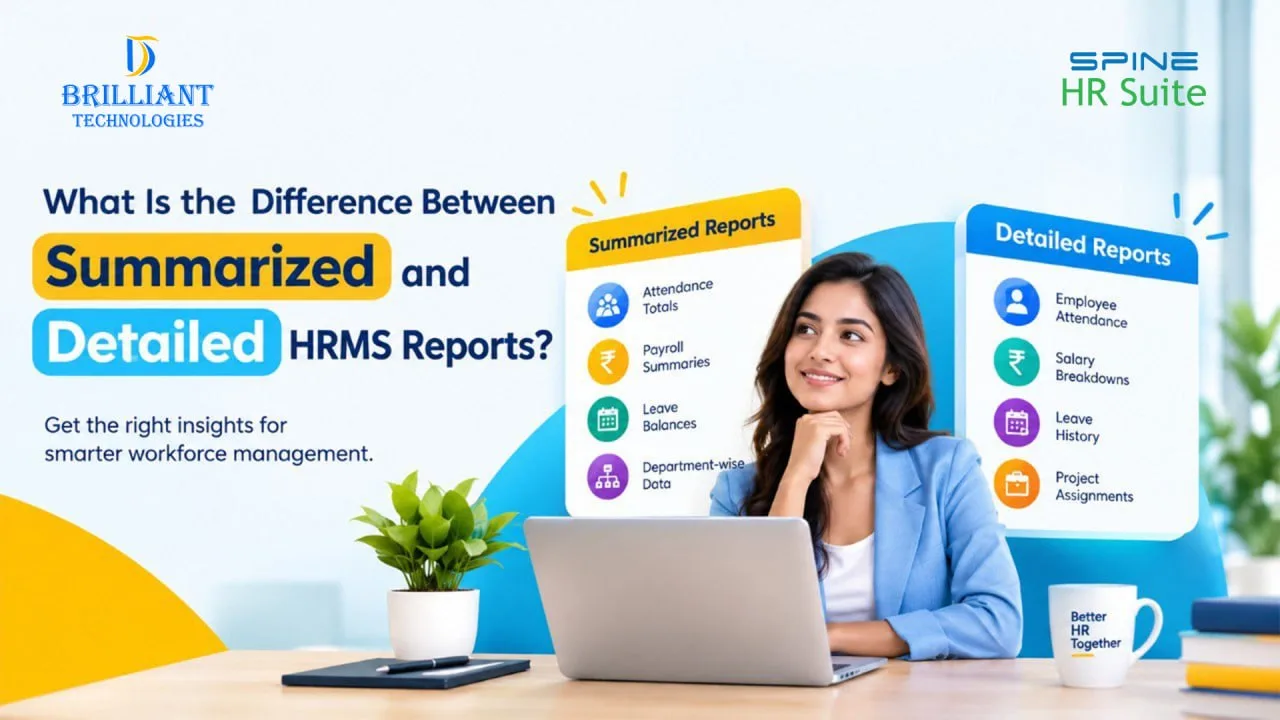
Summarized HRMS reports present important employee information in a short, organized format. Instead of displaying every individual transaction or record, they highlight the overall results for a selected period, department, or group of employees.
For example, an employee attendance summary report may show the total number of employees present, absent, or on leave during a month. Similarly, a payroll summary report can provide an overview of the total salary processed for a particular period.
These reports are useful when managers need a quick understanding of workforce activities.
Common examples include:
- Monthly attendance summaries
- Department-wise employee reports
- Payroll summaries
- Leave balance summaries
- Employee performance summaries
With suitable HRMS reporting features, HR managers can review important figures quickly and identify areas that may require attention.
What Are Detailed HRMS Reports?
Detailed HRMS reports provide more specific information about individual employees and their activities. Rather than presenting only totals, they display the underlying records that explain those results.
For example, a detailed employee attendance report may include an employee’s name, attendance dates, check-in and check-out times, late arrivals, and absences. HR teams can use this information to understand individual attendance patterns.
Detailed reports are particularly helpful when checking records, investigating discrepancies, or responding to employee queries.
Common examples include:
- Employee-wise attendance reports
- Individual payroll breakdowns
- Employee leave history
- Detailed performance records
- Employee-wise and project-wise workforce reports
A well-organized HR reporting system makes these records easier to review and helps HR teams maintain accurate employee information.
Summarized HRMS Reports vs Detailed HRMS Reports
The main difference is the level of information each report provides.
| Feature | Summarized HRMS Reports | Detailed HRMS Reports |
| Information | Key figures and totals | Individual records and supporting details |
| Main purpose | Quick review | Detailed analysis and verification |
| Attendance | Overall attendance figures | Individual attendance records |
| Payroll | Total salary processed | Employee-wise salary breakdown |
| Best suited for | Management reviews | HR verification and follow-ups |
| Decision-making | Identifies general trends | Helps investigate specific issues |
Both formats are important. Summarized reports provide a broad view of workforce activities, while detailed reports help explain the figures behind that overview.
When Should HR Teams Use Summarized Reports?
Summarized reports are useful when managers need information without reviewing every employee record.
For example, a business may want to know how many employees were absent during the previous month or how much salary was processed across different departments. A summary report presents these figures in an easy-to-understand format.
HR teams can use summarized HRMS reports for monthly reviews, workforce planning, payroll overviews, and management meetings. They can also compare results across different periods to identify changes in attendance or staffing.
When Are Detailed Reports More Useful?
Suppose the monthly attendance summary shows an increase in employee absences. HR managers can review detailed attendance records to understand which employees were absent and when those absences occurred.
Similarly, detailed payroll reports can help HR teams verify salary components, deductions, and employee-level payment information. Project-wise employee reports can also help managers review workforce allocation across different projects.
Using HRMS reporting software to access these records can reduce manual checking and make routine HR processes more manageable.
How Can HRMS Reporting Software Help Businesses?
Maintaining employee information in separate spreadsheets can make reporting time-consuming, especially when the workforce expands. HRMS software brings employee records and HR activities into a more structured system.
Depending on the software and its configuration, businesses may be able to generate attendance reports, payroll summaries, leave reports, employee-wise records, and customized HR reports from available data.
Managers can review overall results through summary reports and examine individual records whenever additional information is needed.
Businesses searching for HRMS software in Hyderabad should evaluate reporting capabilities alongside attendance management, payroll processing, leave tracking, and employee self-service features.
Choosing suitable HRMS software providers in Hyderabad also involves checking implementation support, customization options, reporting requirements, and the software’s suitability for the organization’s size and workflows.
Conclusion
Using both formats allows HR teams to manage everyday activities more efficiently and make informed decisions.
Brilliant Technologies helps businesses explore HRMS solutions that support organized employee information and streamlined HR processes. If your organization is looking for HRMS software in Hyderabad, contact Brilliant Technologies to discuss your reporting and workforce management requirements.
Frequently Asked Questions (FAQs)
1. What is the main difference between summarized and detailed HRMS reports?
Summarized reports display overall figures and trends, whereas detailed reports provide individual employee records for verification and closer analysis.
2. When should HR managers use summarized reports?
They are useful for monthly reviews, monitoring workforce trends, comparing departments, and reviewing payroll totals.
3. When are detailed HRMS reports necessary?
Detailed reports are useful for checking attendance records, verifying salary calculations, reviewing leave history, and investigating discrepancies.
4. Can HRMS software generate employee-wise reports?
Yes. Depending on the software’s capabilities, it can generate employee-wise attendance, payroll, leave, and performance reports.
Looking for the right HRMS solution? Enquire with Brilliant Technologies today.